
screenpipe #30 | multi-device context, connected AI chats, meeting chat
get updates on screenpipe news and releases
your context now follows you across devices and AI chats
Hi all, Louis here, founder of screenpipe.
screenpipe records the computer work you choose and turns it into context for the AI agents you already use.
It stays on your device by default. With opt-in Data Sync, you can make selected context available across your computers and the mobile AI clients you connect.
new: multi-device context and mobile AI
The Business beta added multi-device context for ChatGPT mobile, Claude mobile, and other connected AI clients.
For example, you can ask from your phone how much time went into each client and let screenpipe find the answer in your chosen screen and meeting history.
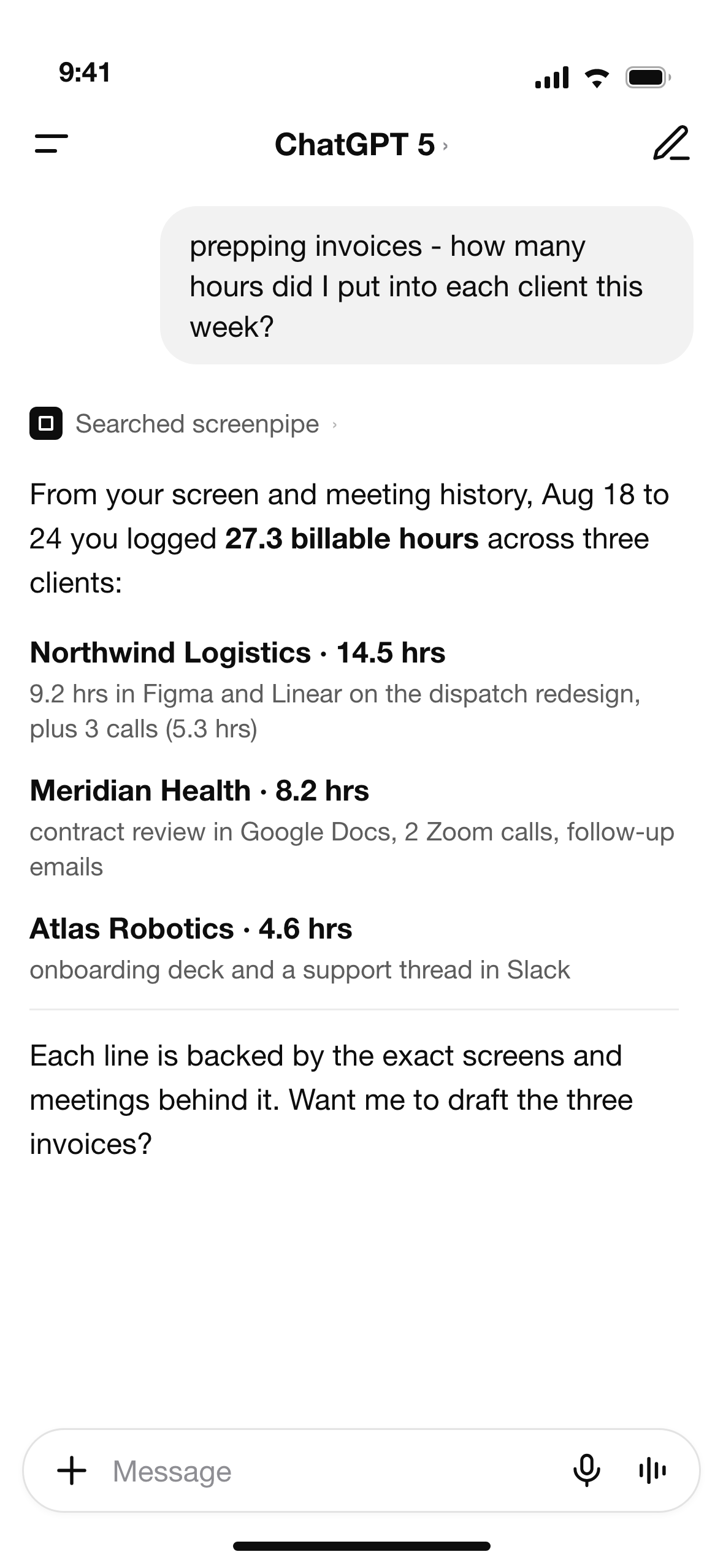
Data Sync is opt-in. Every device must be configured individually, and only the AI clients you connect receive that context.
new: your AI chats can find each other
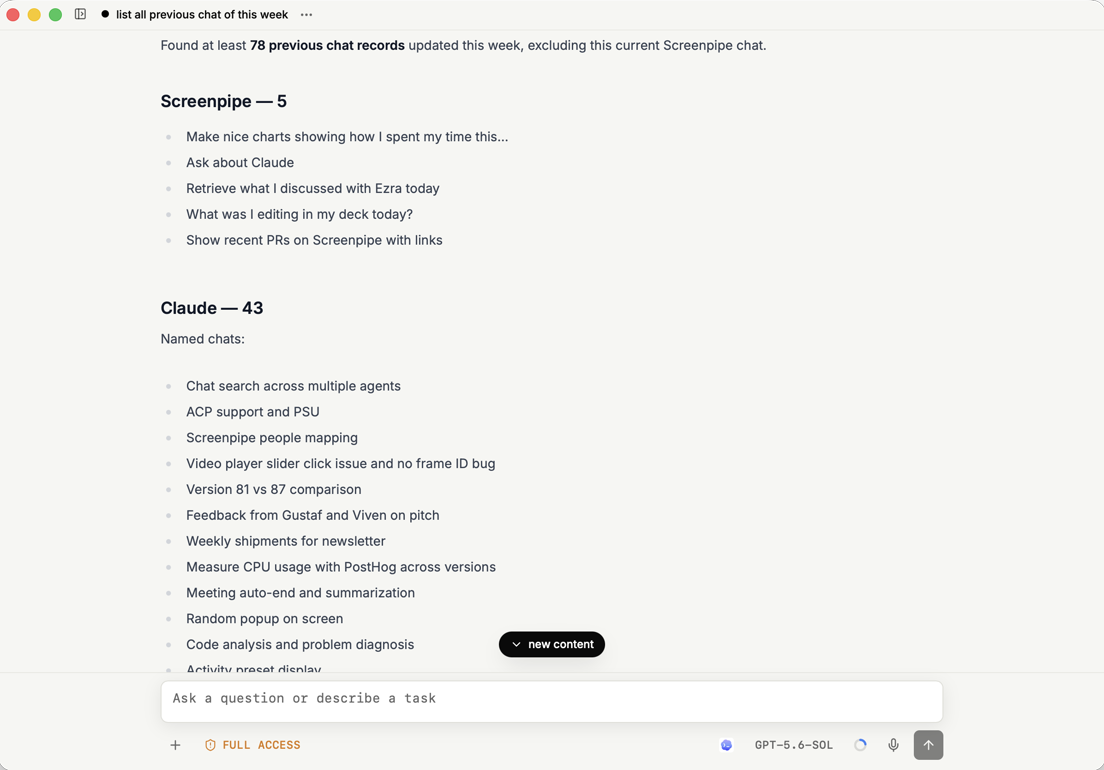
Ask one question across conversations from screenpipe, Claude, Codex, and other supported chat sources. In this demo, screenpipe found 78 chats from that week and grouped the relevant work by assistant.
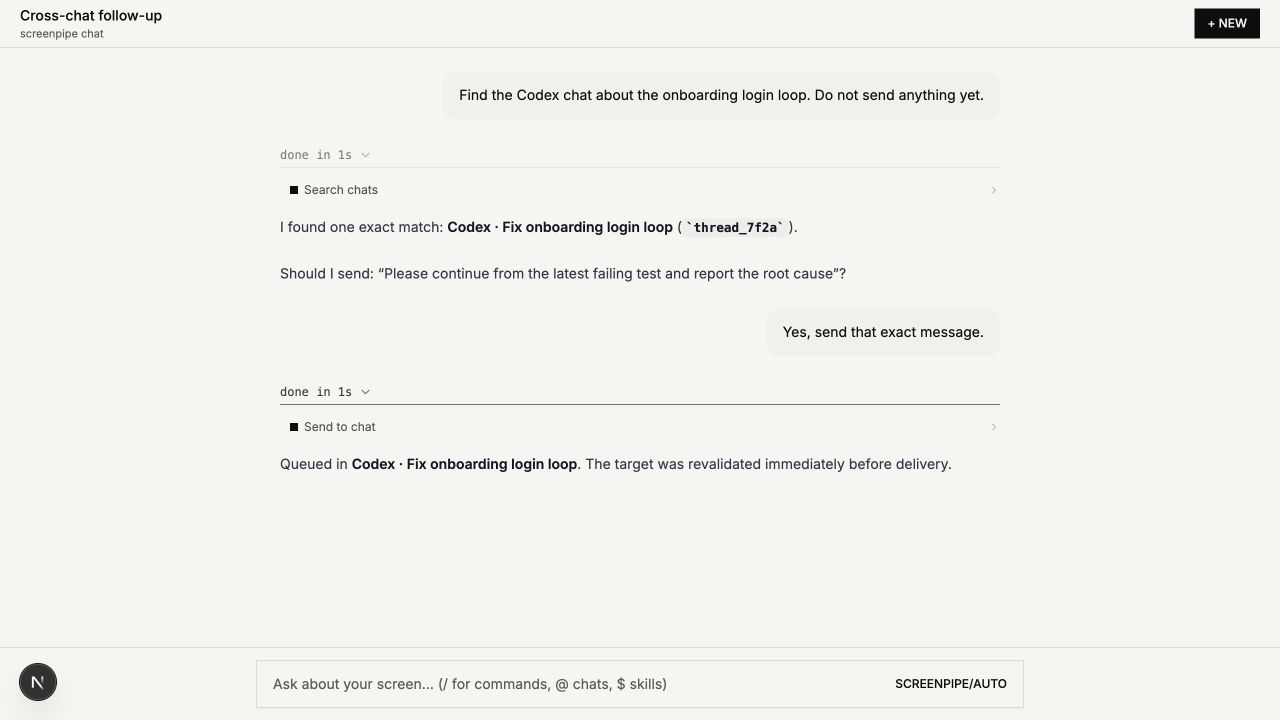
Once you find the right conversation, screenpipe can continue it for you. It shows the exact destination and message, then asks before sending anything.
new: meeting chat, replay, and model choice
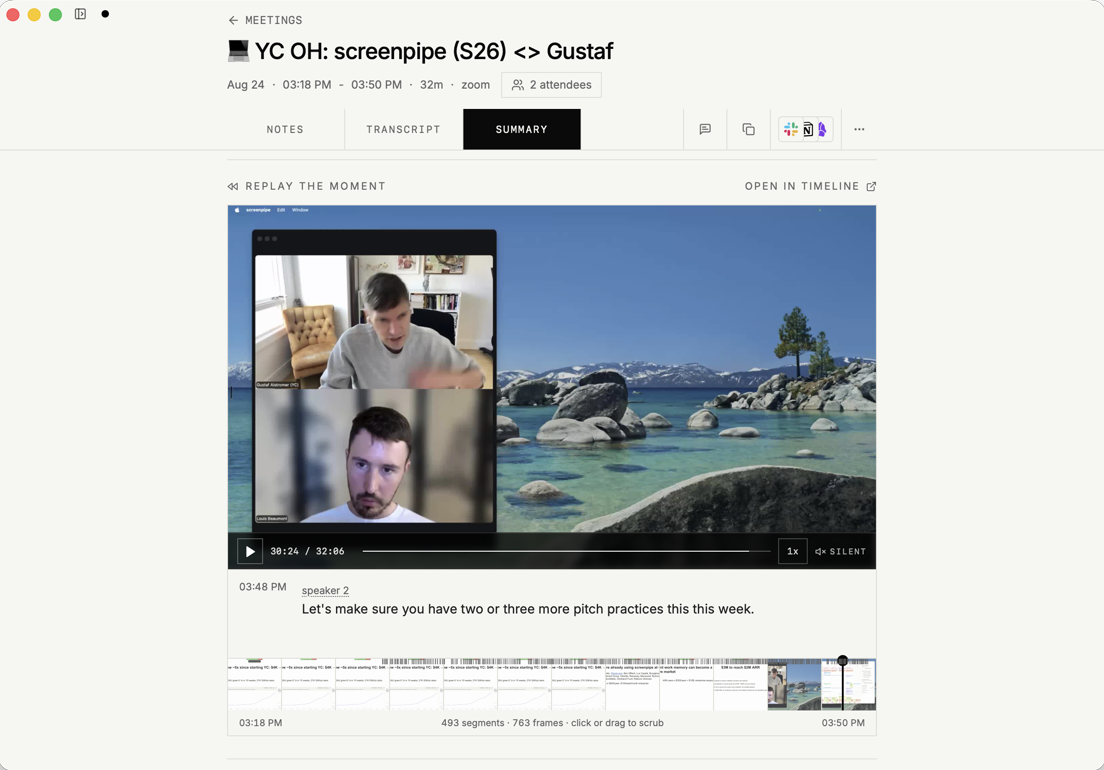
Meeting pages now include a chat focused on the current meeting, with suggested questions such as what you committed to, what remains unanswered, or how to draft the follow-up.
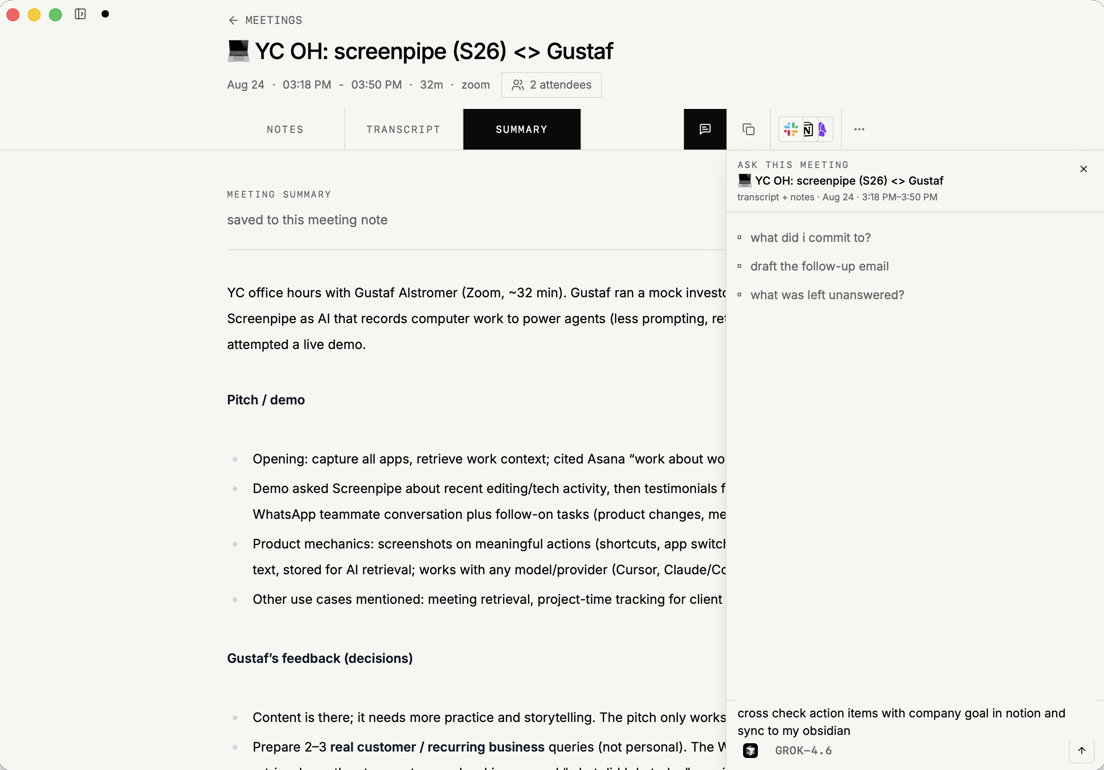
You can replay the exact moment through the recorded video and transcript instead of relying only on a generated summary.
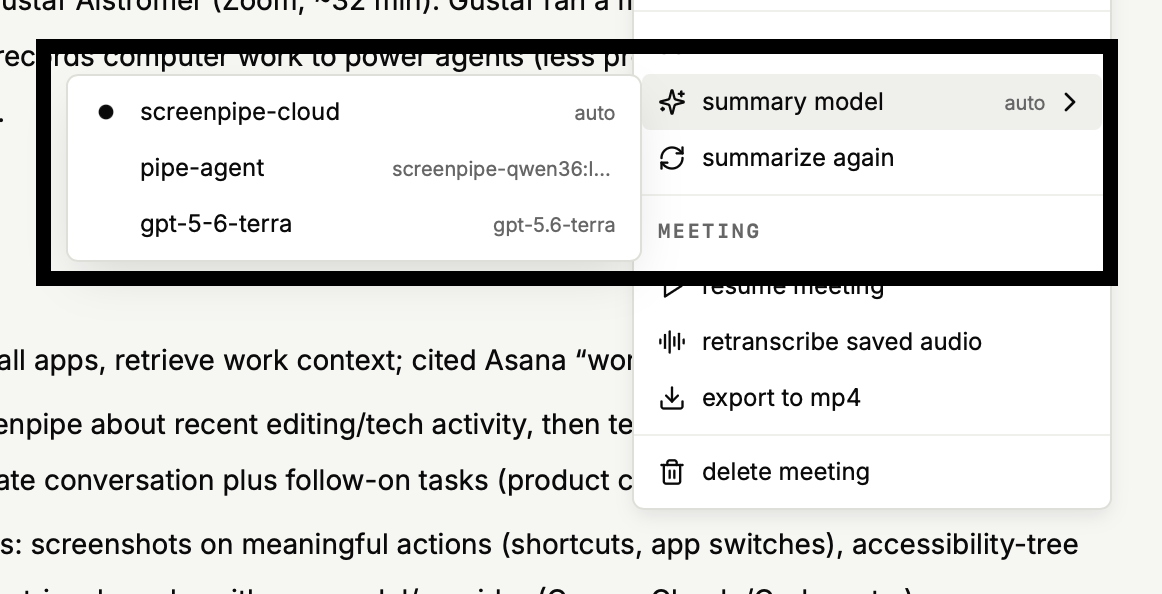
You also choose which model writes meeting summaries: screenpipe cloud, your own provider, a pipe agent, or a local model.
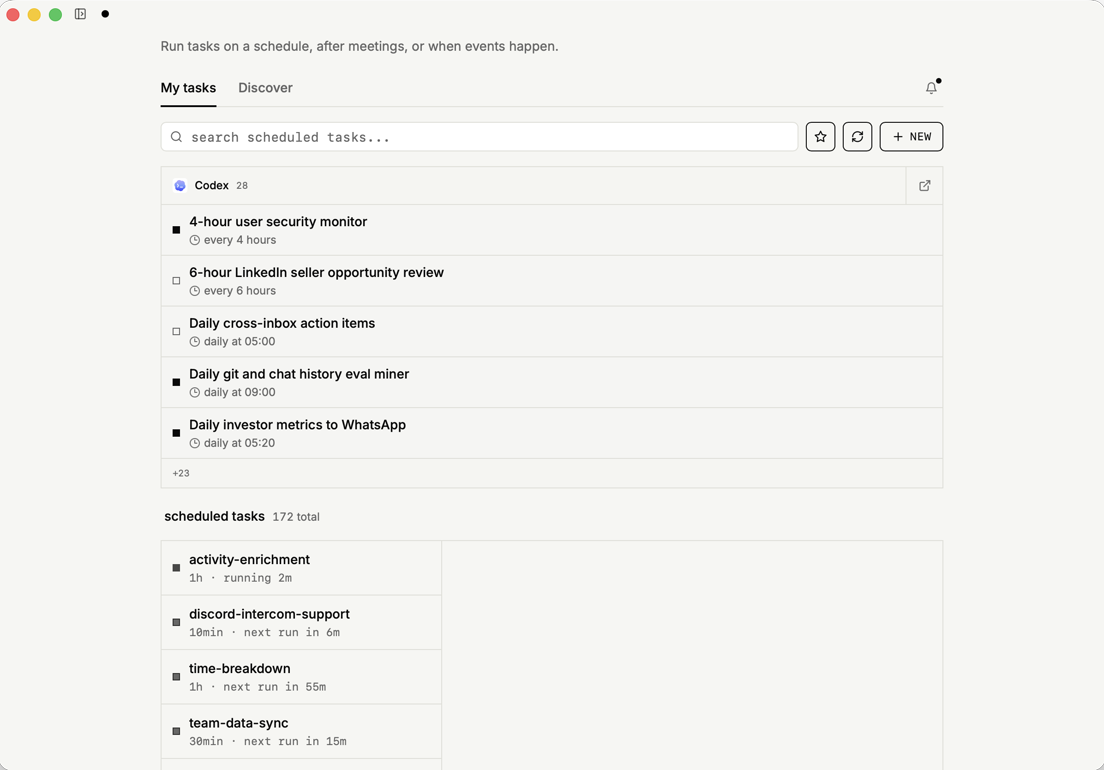
new: scheduled tasks run on coding agents
Tasks can run on a schedule, after a meeting, or when another event happens.
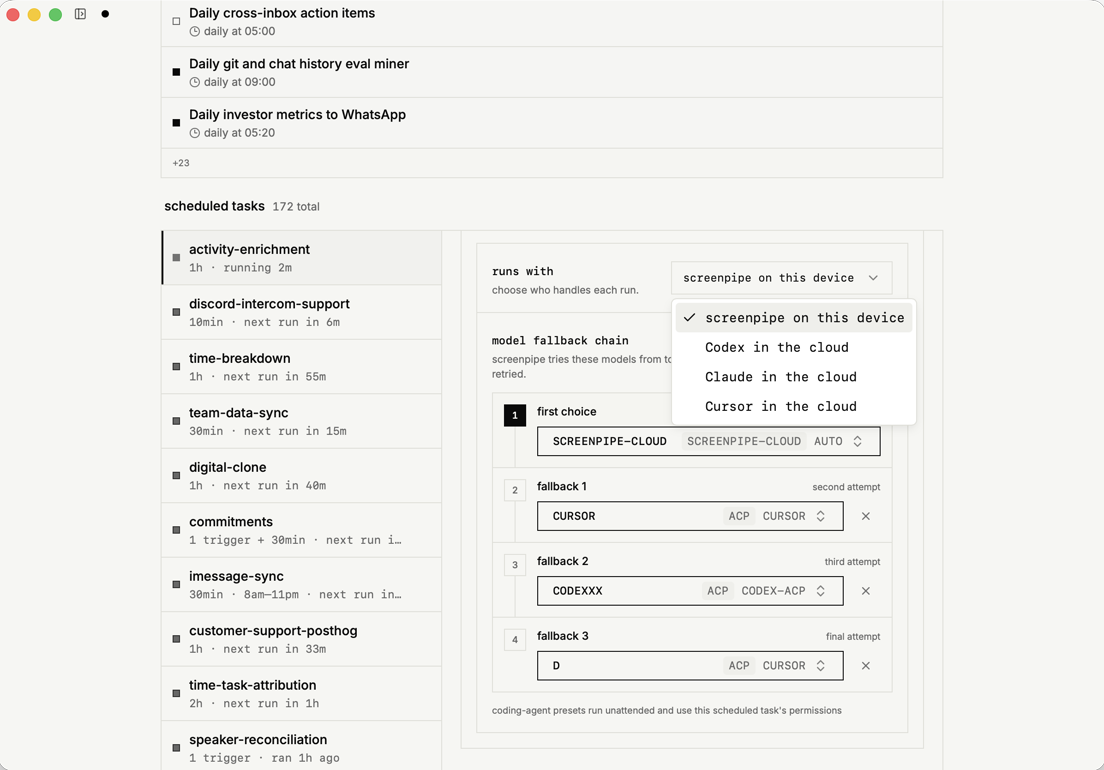
For each run, choose screenpipe on this device or a connected Codex, Claude, or Cursor environment in the cloud. You can also configure fallback models for runs where the first choice is unavailable.
new: skills and tools in Connections
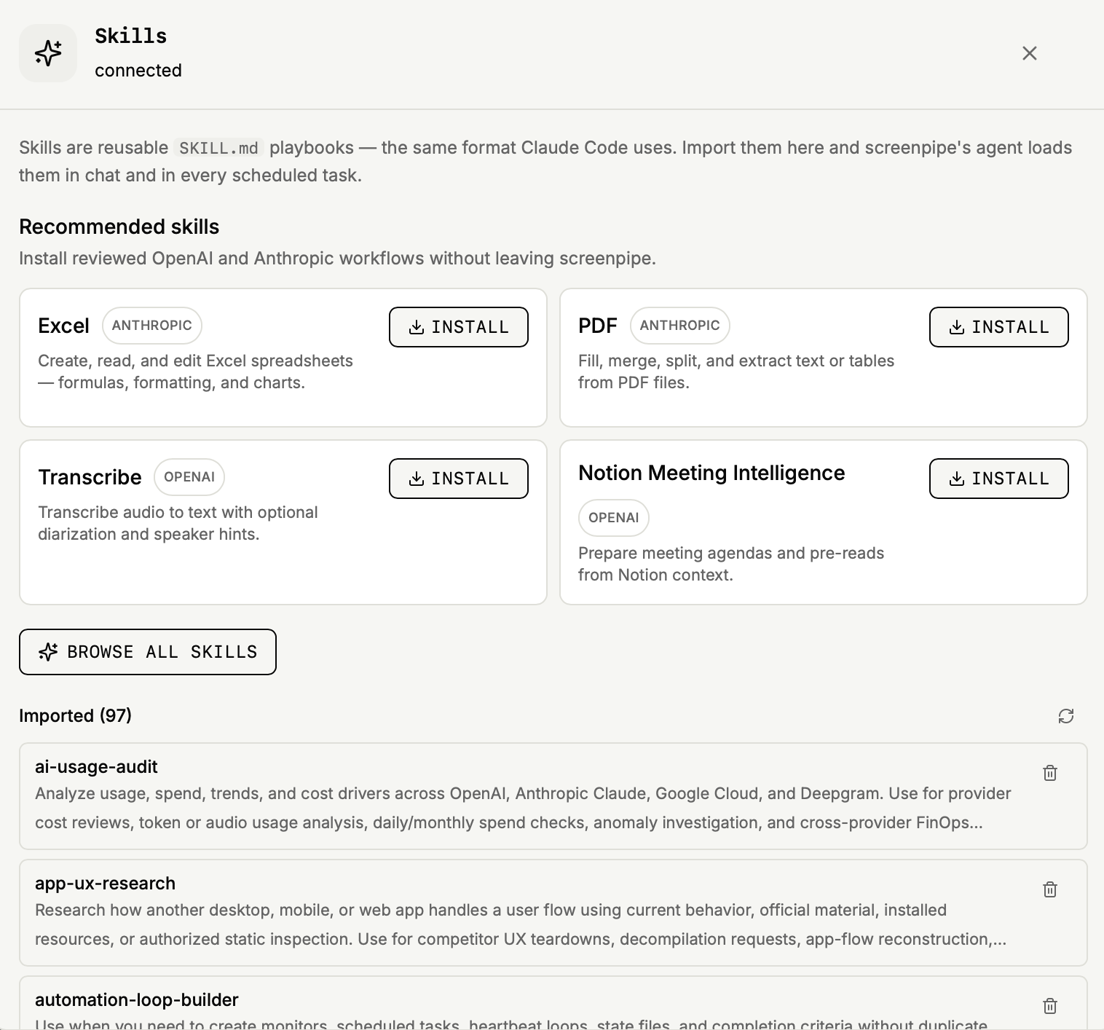
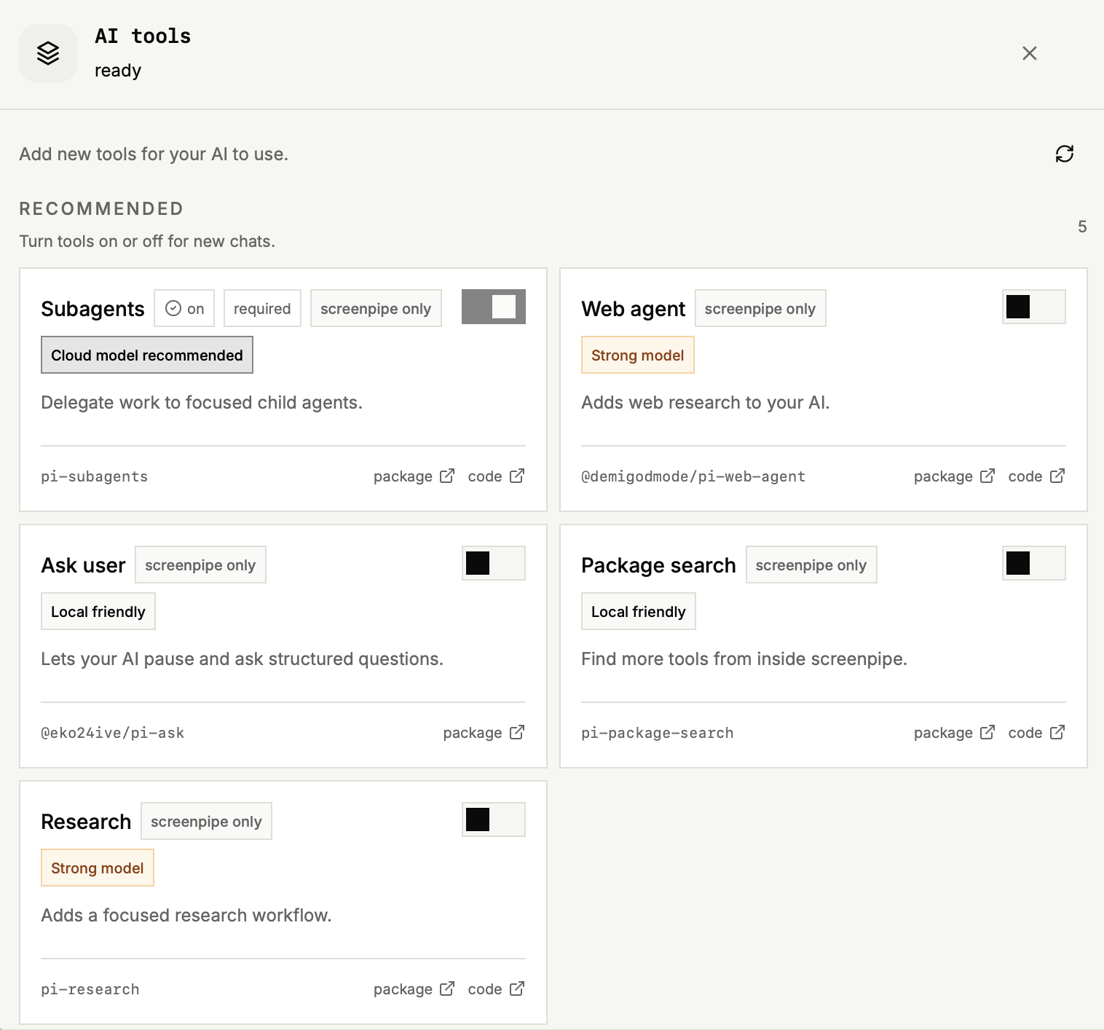
Connections now includes one-click installs for skills and tools.
Skills are reusable playbooks using the same SKILL.md format supported by coding agents. Install reviewed workflows or import your own, then use them in chat and scheduled tasks.
Tools extend what the agent can do, including delegating to subagents, running web research, and pausing for structured questions. Turn them on or off per chat.
everything else shipped that week
Roughly 130 improvements went out through v2.6.87:
- Chat became a workspace. Conversation tabs gained keyboard navigation, and the composer gained voice dictation.
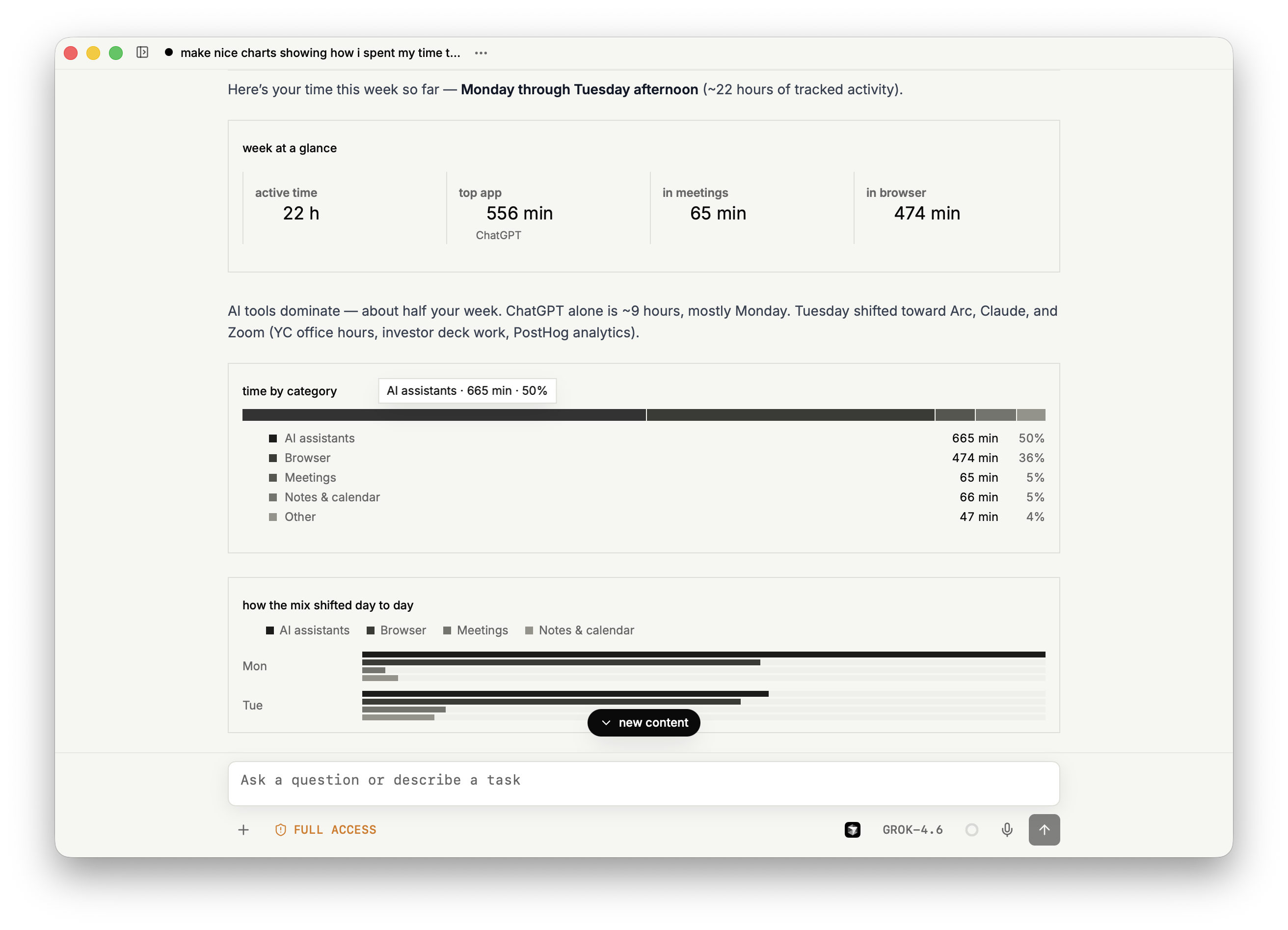
- Charts in chat. Ask a question and get charts built from your data, plus a breakdown of the context the AI used.
- A calmer look. A monochrome design system reached more of the desktop app.
- Reliability. Fixes covered recording stalls, screen-capture leaks, update-time permissions, and background CPU usage.
Read the v2.6.87 release notes or browse the full changelog.
private, team-friendly, model-flexible
Your history stays on your device by default. Teams can manage capture rules, data location, and permissions. Use local AI, your own provider, or a hosted model.
Optional sync, integrations, and hosted AI receive context only when you configure them.
Louis
get updates on screenpipe news and releases