
screenpipe #36 | Star a session
get updates on screenpipe news and releases
Newsletter #36, October 14, 2026.
Hi all, Louis here.
Now you can star a stretch of work in Screenpipe, return to it, and ask your AI about it, or automate your work.
1. Star the work you want to keep
On Mac, press Command + Control + B, or use the star control. Choose 5, 15, 30 or 60 minutes, then keep working. You can end early or add another 15 minutes.
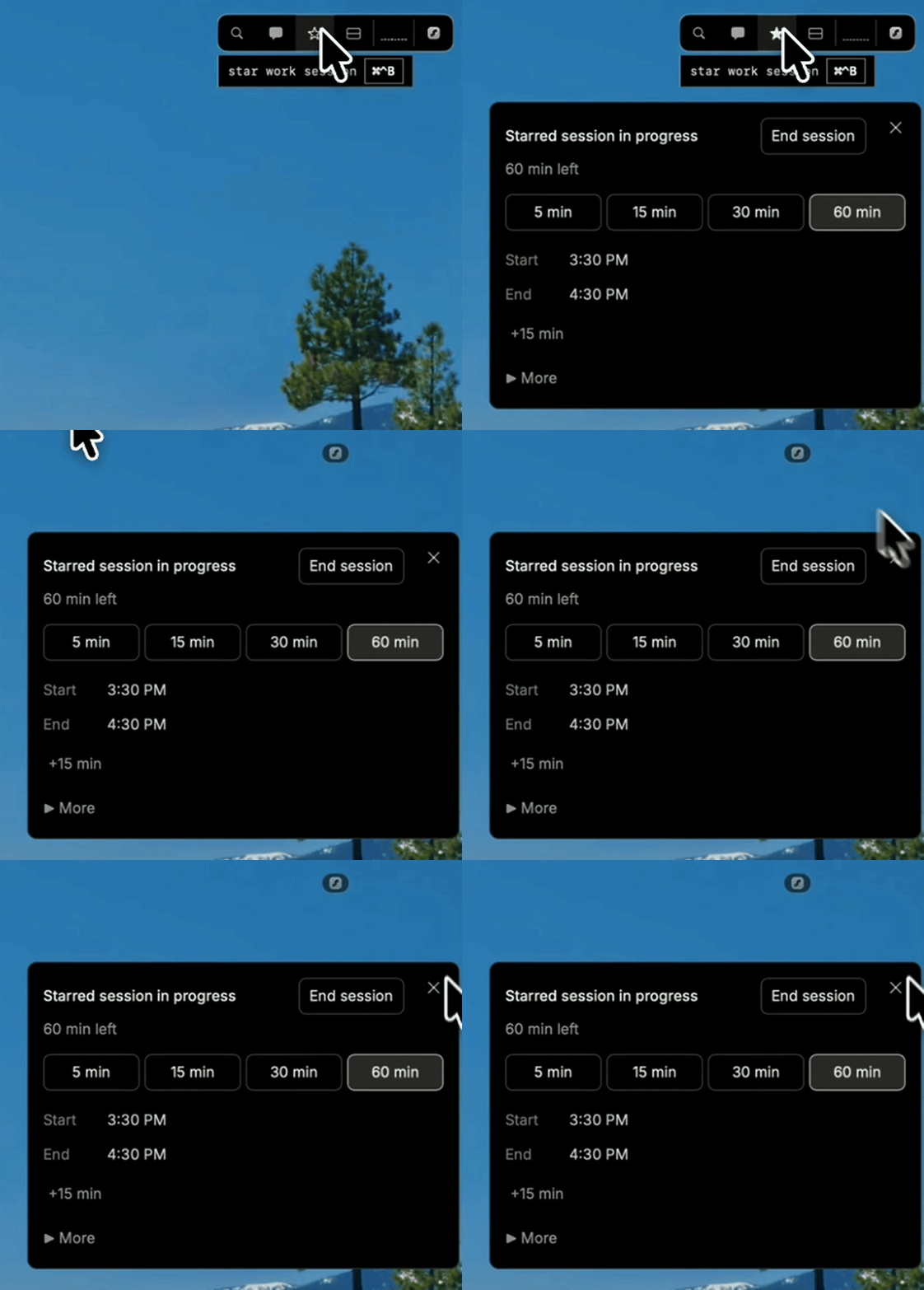
The timer marks a range in your history. When it ends, starring stops; your normal recording settings still apply.
2. Come back to the whole session
Click a starred session above the timeline to revisit that part of your day. Find the steps behind a fix or pick up a report where you left off, across the apps you used.

3. Find something worth doing again
With Screenpipe connected to Claude or ChatGPT, ask:
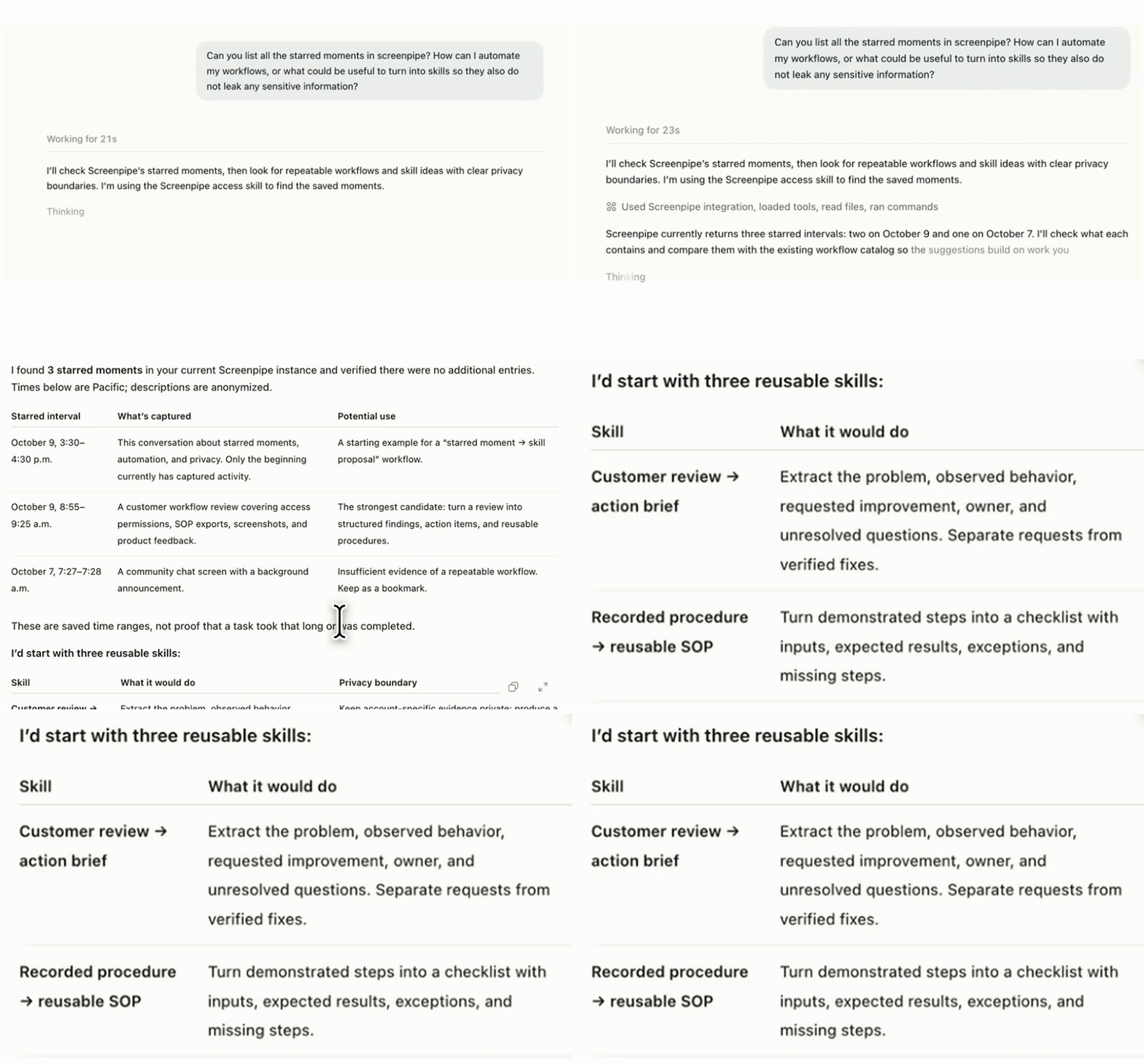
Look at my starred Screenpipe sessions today. What could become a reusable skill? Or can I automate this workflow?
In my demo, Codex reviewed three starred moments and suggested turning a customer review into an action brief, and a recorded procedure into a reusable checklist.
Louis
get updates on screenpipe news and releases