
screenpipe #25 | free tier + gmail
get updates on screenpipe news and releases
screenpipe free tier + gmail
hi all, some news:
- the app has now a free tier
- Gmail and the rest of your connections work on every plan
Please download screenpipe and update app to v2.5.128.
screenpipe now has a free tier
Sign in and use the local app without a paid plan. Free keeps seven days of captured activity, supports two installed automations (pipes), and includes two screenpipe cloud AI messages each day.
Built-in automations do not count toward the two-automation limit. Your own or local AI provider sits outside the allowance.
Gmail is available on every plan
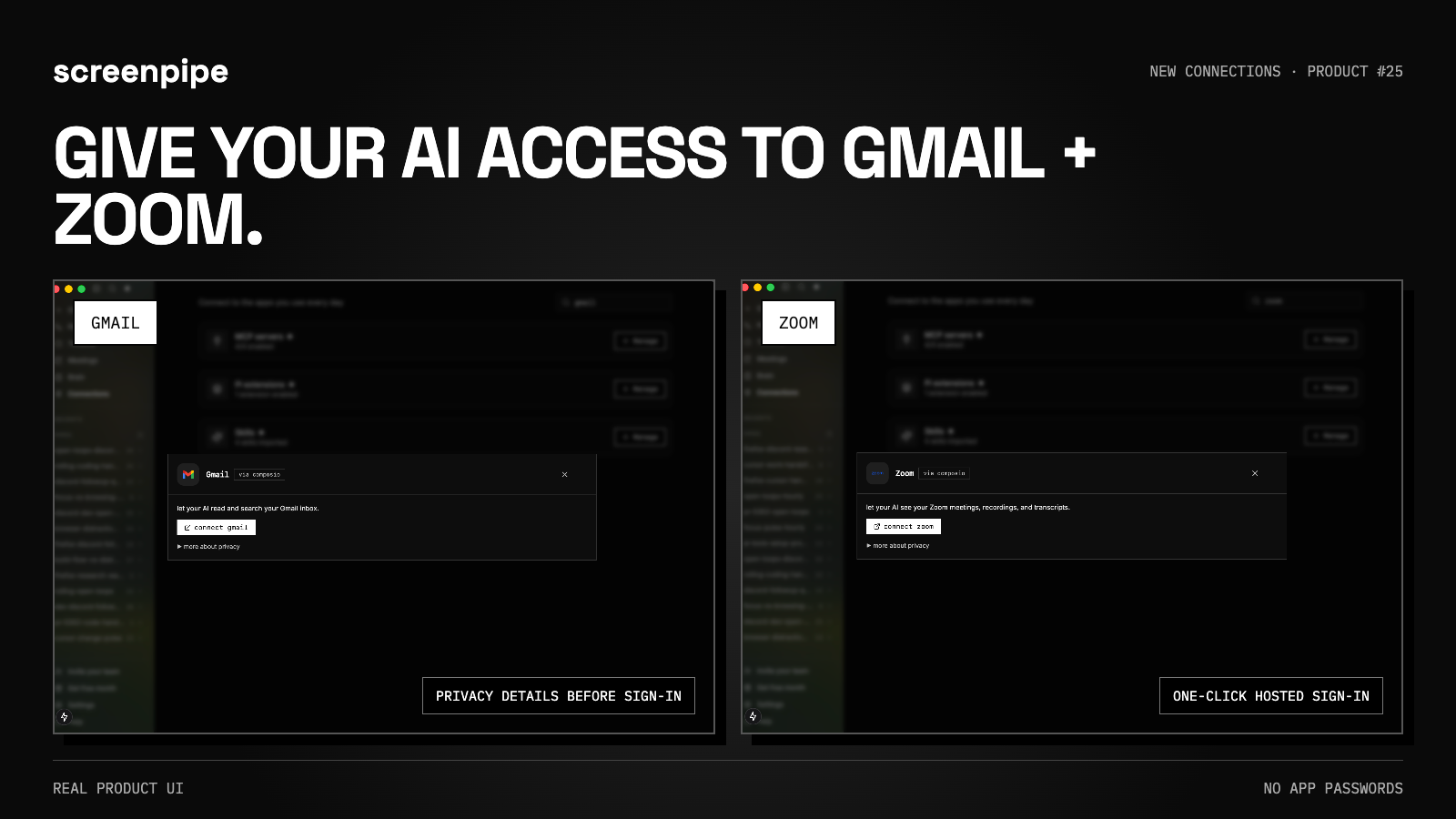
Connect Gmail with one click - no app password. Your AI can read and search your inbox, and you can open the privacy details before signing in.
Zoom and the rest of screenpipe’s connections are no longer locked behind a paid plan.
Note that we use Composio only for Gmail and Zoom, please read their data privacy policy.
If you want to avoid Composio, you can use IMAP, by enabling two factor authentication on your Google account and create a one time password (instruction in app).
connect every AI tool in one click
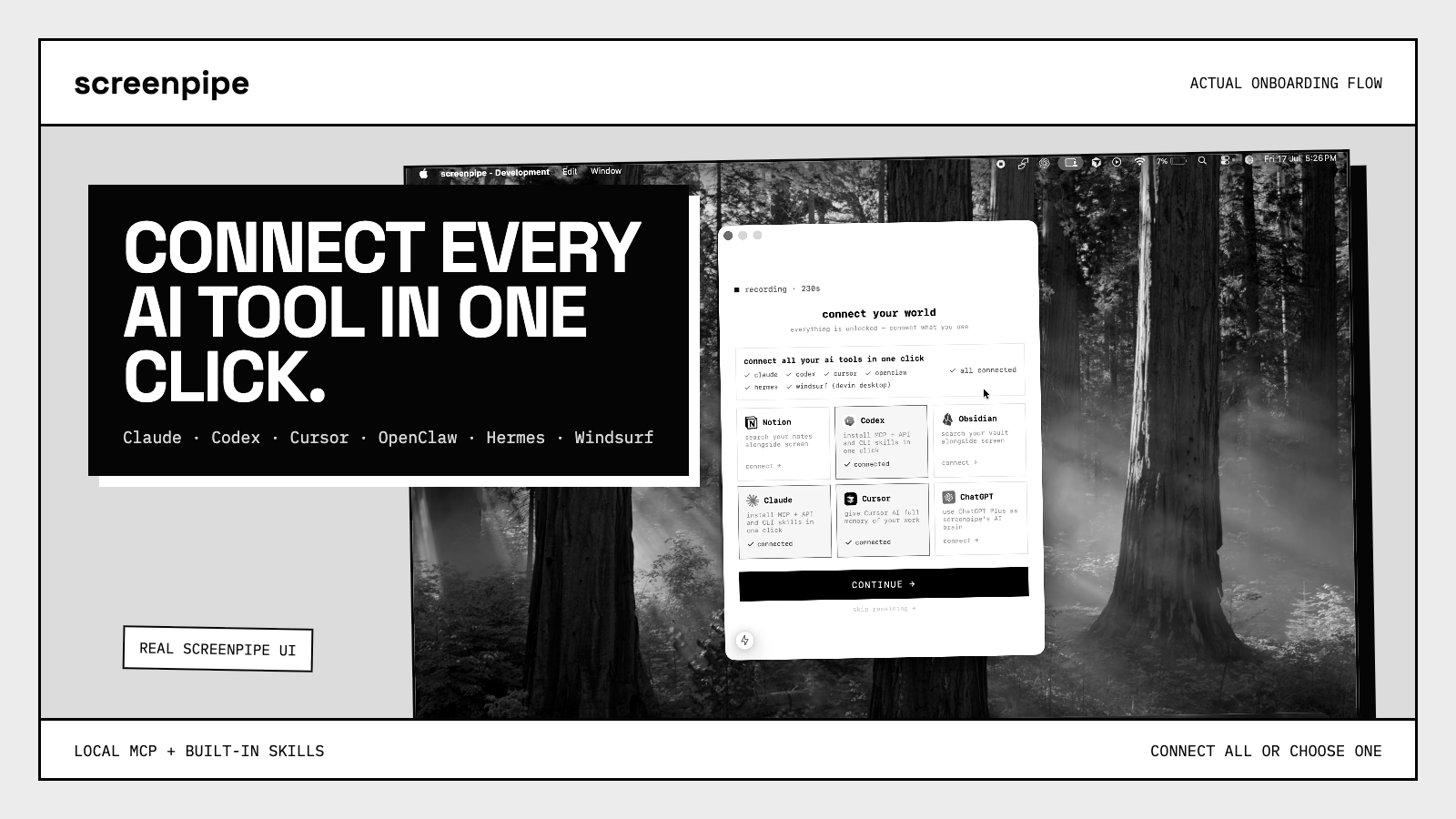
screenpipe detects supported AI tools on your computer and can connect them all - or one at a time - to its local MCP and built-in skills.
It makes your Claude, ChatGPT, Hermes, Openclaw, etc. instantly aware of everything you do, see, say, hear. Just go to Connections in the app.
recording recovery you can see
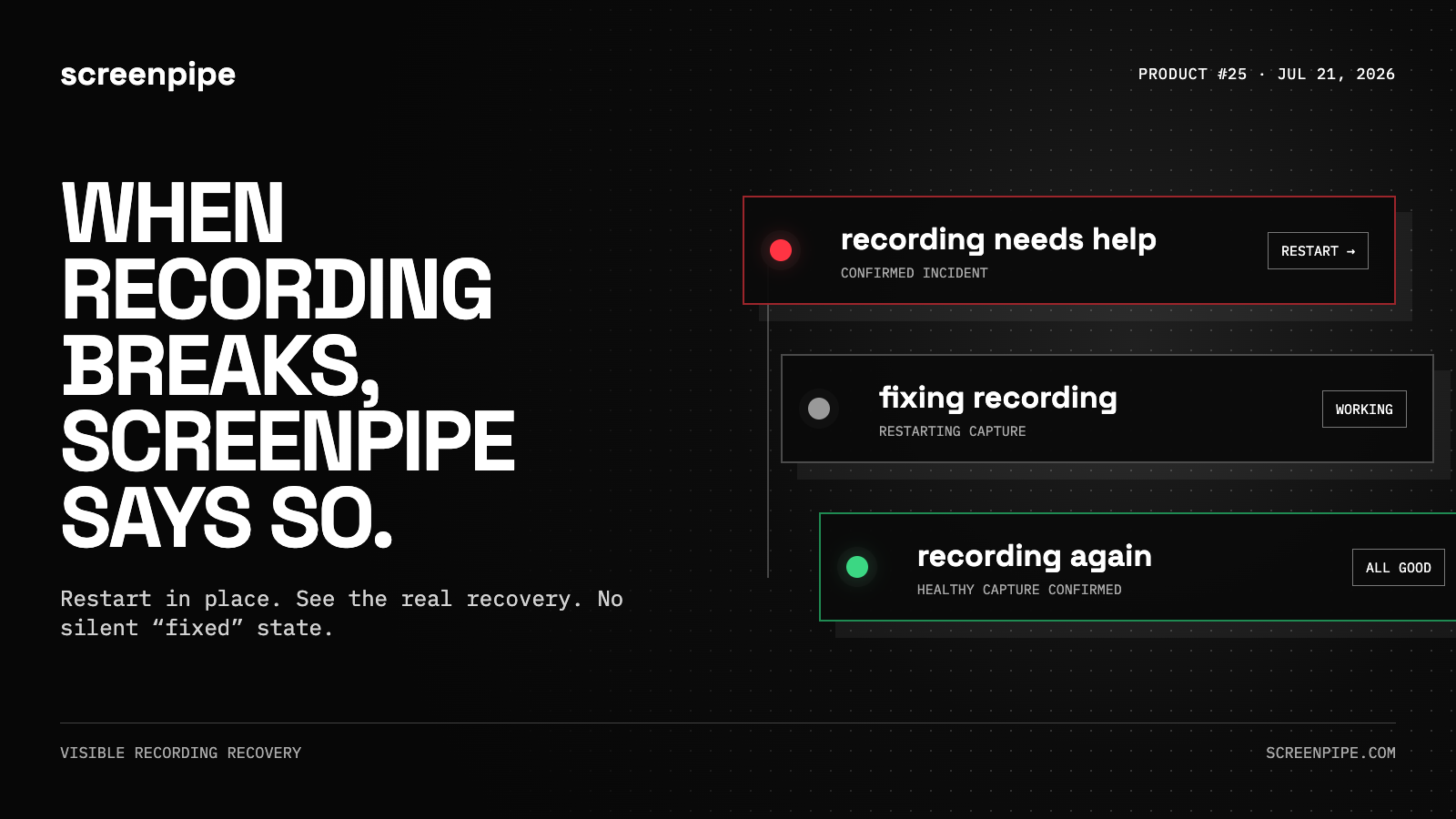
If recording fails, screenpipe shows a small alert and lets you restart without opening the app.
It only says “recording again” after healthy capture actually returns. Intentional stops, pauses, and expected idle states do not trigger the alert.
quieter in the background
- privacy and maintenance work backs off when recording or the app needs resources.
- completed pipes stop holding redundant run output in memory.
- search and timeline use smaller cached previews instead of loading every full-size frame.
- our PII models use now less memory, CPU, and are more accurate
Want the engineering details? See the full technical changelog.
Want to find automation opportunities in your company?
Questions? Reply to the email or join our Discord.
Louis
get updates on screenpipe news and releases