
screenpipe integrations
Give your AI tools the context behind the work
screenpipe is the local capture and search layer. Connect an AI tool through MCP, then retrieve the screen text, meeting, error, or decision that matters to the current task.
Current guides
Start with the AI you already use
Find example prompts, connection requirements, and data-sharing boundaries for each tool. Local automatic setup and remote connections are different paths.

screenpipe × Claude
Start on your computer · phone access is optional
Set up screenpipe for Claude.
Start on your computer. To use context on your phone, you need Screenpipe Business or higher, cloud-synced data, and a supported Claude connection.
Open the guide
screenpipe × Codex
Codex app + CLI
Give Codex the context around the code
Reconnect requirements to implementation, recover transient errors, and resume work after a long or compacted coding session.
Open the guidescreenpipe × ChatGPT
Start in desktop Codex · phone access is optional
Use screenpipe in the ChatGPT desktop app.
Start with local Codex in the desktop app. To use context on your phone, you need Screenpipe Business or higher, cloud-synced data, and a supported ChatGPT connection.
Open the guideCapture and index locally
screenpipe records screen and audio, extracts searchable text, and keeps the local index on the device in local-only mode.
Retrieve the relevant slice
A connected agent searches for relevant context instead of receiving your full history. Local tools search on your device; the hosted endpoint searches synchronized data.
Use it inside the current task
The AI receives selected results in its context and can work with them under the permissions and provider policies you chose.
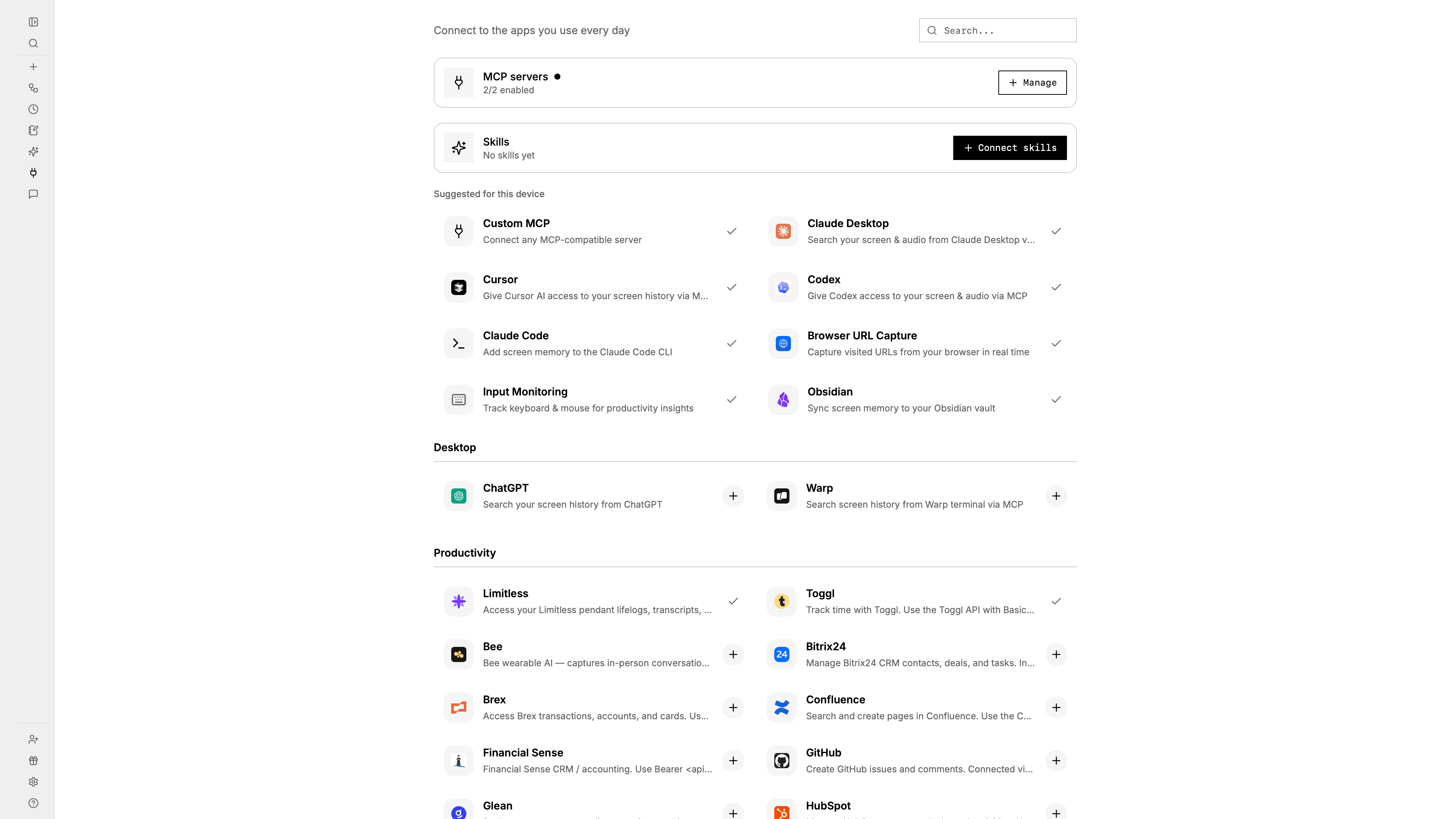
The Connections page detects supported tools and keeps each setup separate, so you can connect only the agents you use.
More MCP guides
Using another coding tool?
The same local context layer also works with MCP-compatible editors. Existing guides cover Cursor and Windsurf.