
screenpipe #26 | your work, live
get updates on screenpipe news and releases
your work has a live dashboard now
screenpipe turns real activity into Live Views.
Hi all, Louis here, sharing a quick update from last week
Please update screenpipe to app v2.5.144.
your work, visible
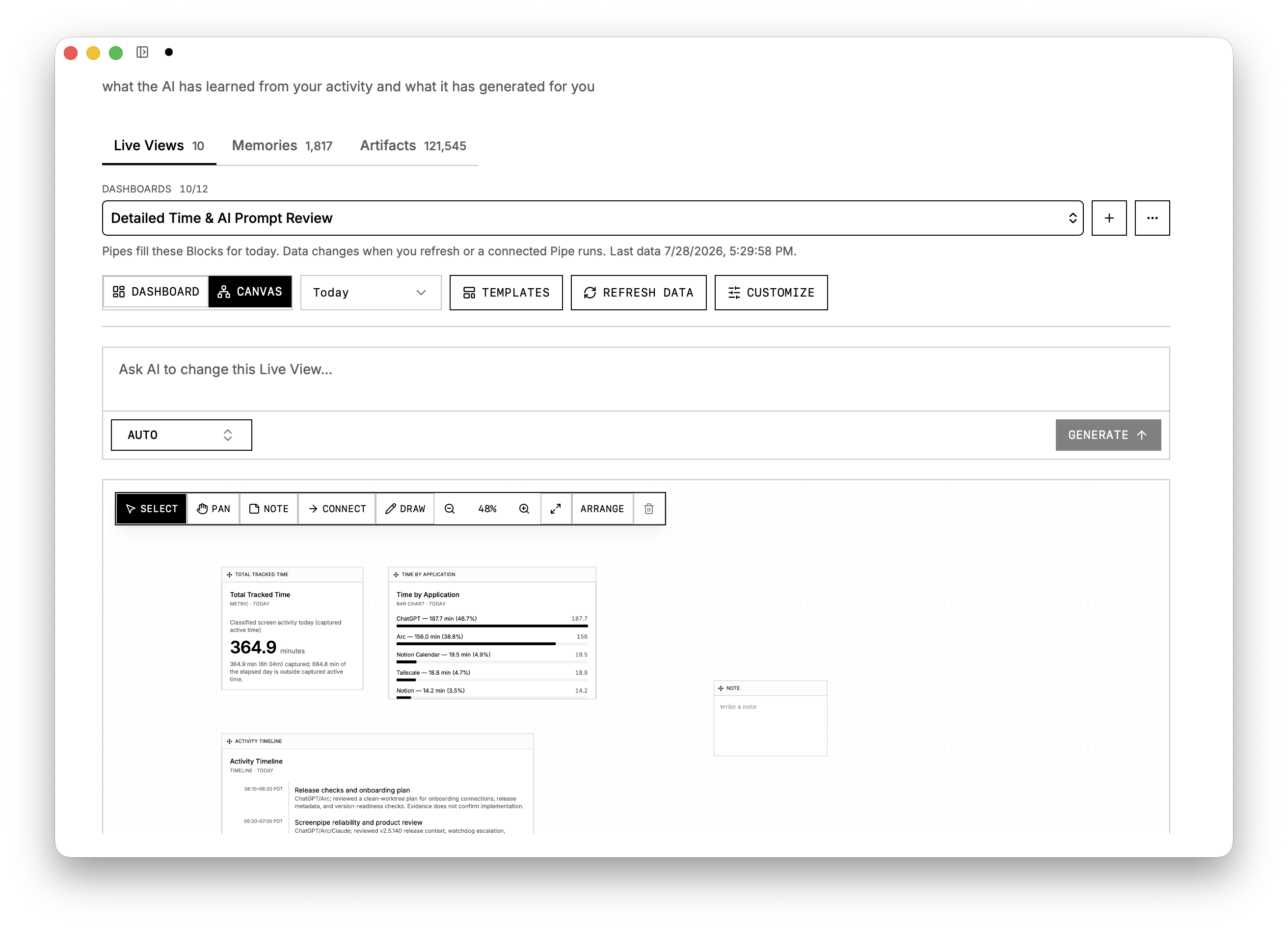
- Ask AI to create a dashboard in plain English (about anything).
- Keep multiple named dashboards for meetings, time, memory, or recurring work.
- Use dashboard or canvas mode, then drag, resize, connect, and annotate cards.
- Rate a useful result so its Pipe can learn from your feedback.
beta: parsers (2x better data quality)
Screenpipe now understand your screen more precisely by using some custom parsers that we benchmarked to reduce amount of data (tokens) by 50%, thus making it much easier for AI to answer your questions and reducing your storage usage a lot.
This is opt-in and still in review. Enable in settings to try.
turn any day into a summary
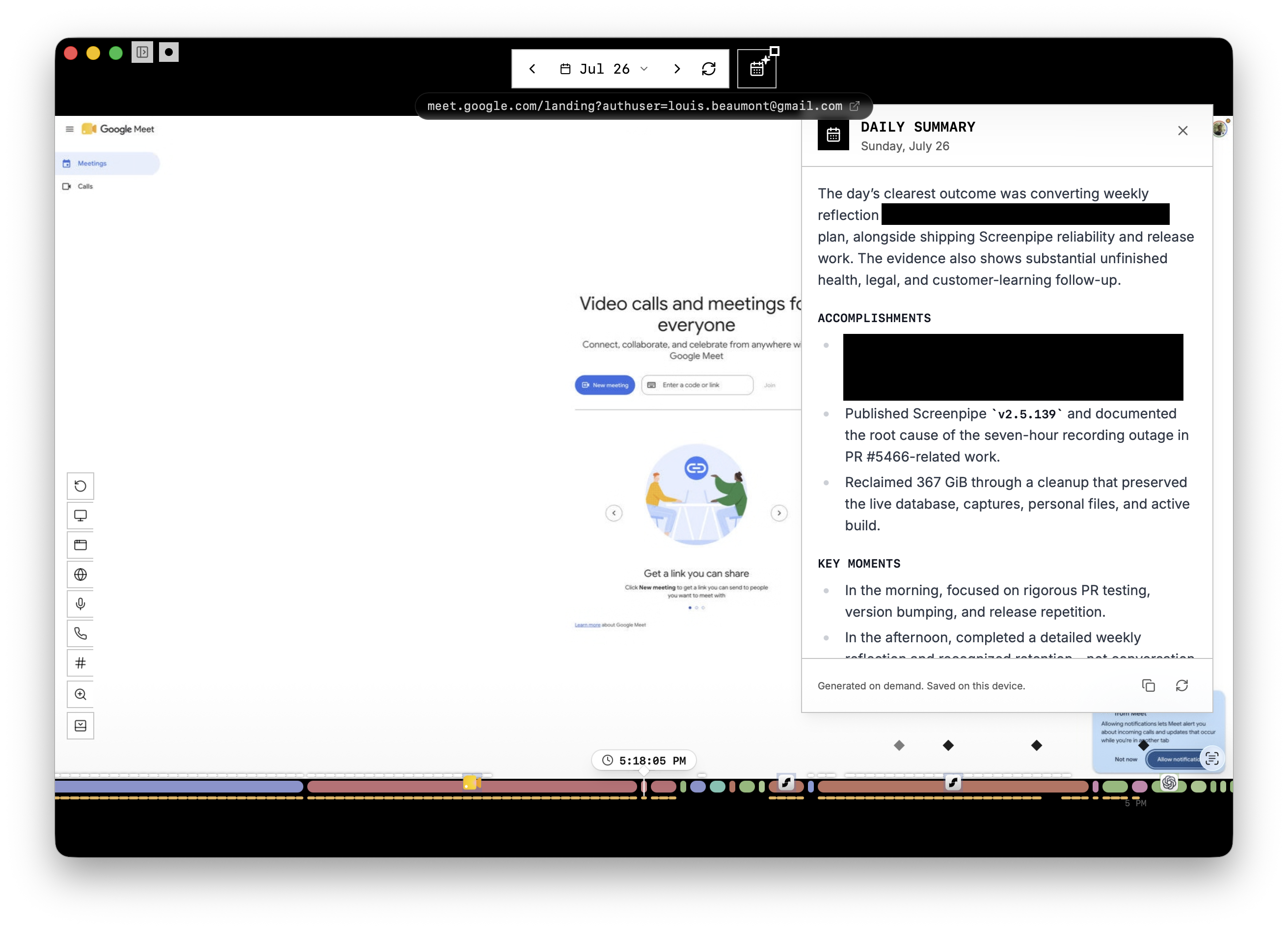
Timeline can now generate a daily summary on demand. Pick a day and let screenpipe turn the captured screen and audio history into a recap you can review.
a reliability pass
- User-installed Pipes no longer disappear from My Pipes after startup.
- macOS catches the stale-permission state where Screen Recording looks enabled but no display is available.
- Linux NVIDIA AppImage and Wayland capture are more resilient.
- Windows audio exclusion and frame comparison failures are handled more safely.
small but useful
- HTML artifacts open rendered by default, with source still one click away.
- Home suggestions adapt to the outcome you chose during onboarding.
- You can give a chat answer a quick thumbs up or down.
one ask
Open Brain and reply with one thing your first dashboard got right - or missed. One sentence is enough.
Update screenpipe or download it.
Want the engineering details? See the full technical changelog.
Questions? Reply to this email or join our Discord.
Louis
get updates on screenpipe news and releases