
screenpipe #28 | infinite context
get updates on screenpipe news and releases
screenpipe infinite context
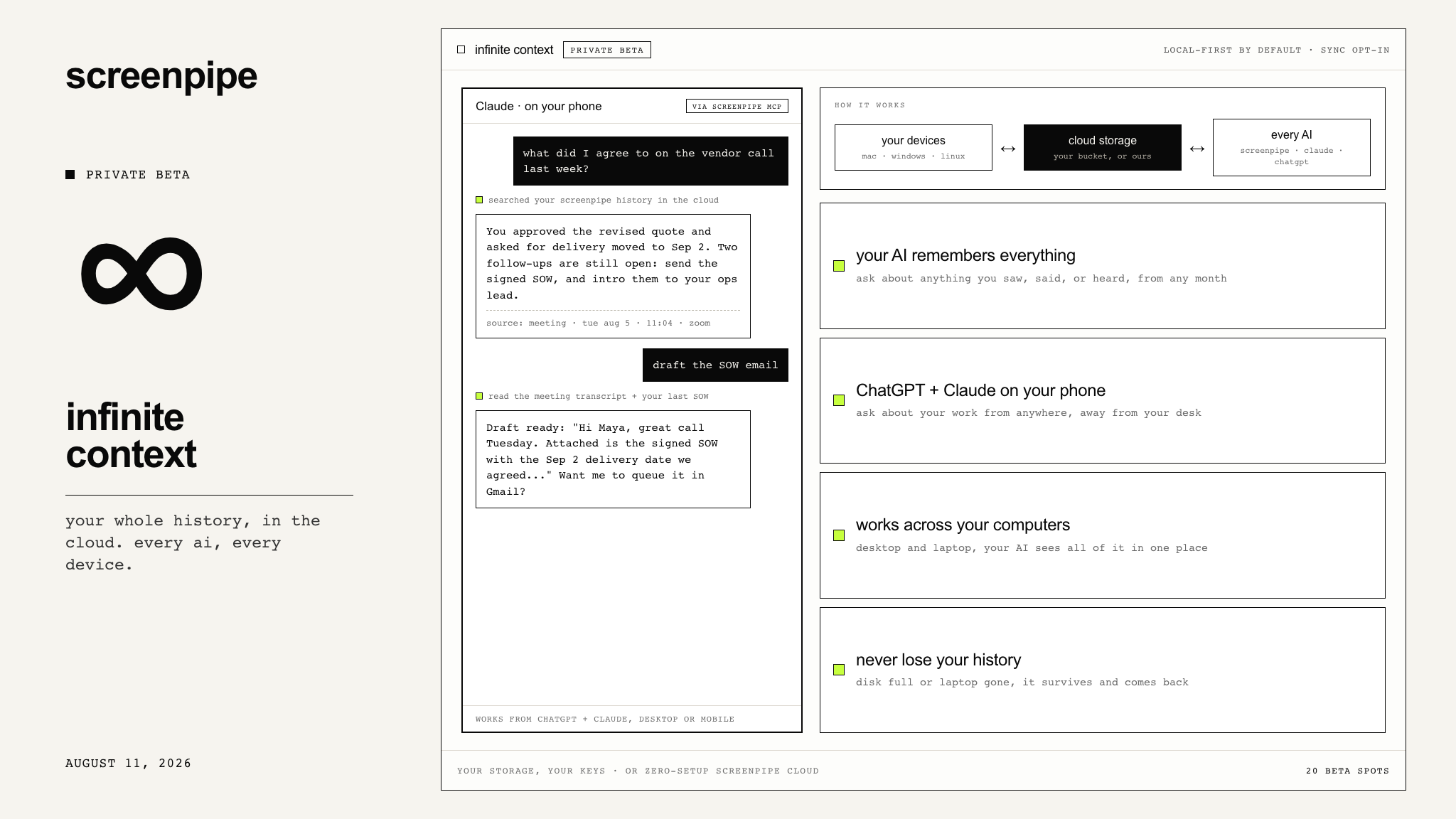
private beta. your whole history in the cloud, for every AI and every device. 20 spots.
Hi all, Louis here.
screenpipe stores captured screen and audio history on your disk by default. Until now, that limited your AI's access to the recording machine and left your phone without that context.
Infinite Context puts your history in cloud storage, yours or ours, where the AIs you choose can reach it:
- Your AI remembers everything. Ask about anything you saw, said, or heard, from any month, even if it no longer fits on your disk.
- ChatGPT and Claude on your phone. Connect once, then ask "what did I agree to on that call?" from anywhere.
- Works across your computers. Run screenpipe on your desktop and your laptop; your AI sees data from all your machines.
- Never lose your history. Disk full or laptop gone, it survives and comes back on the new machine.
- Your storage or ours. Keep it in your own cloud bucket on your own account, or let us host it with zero setup. Built on the same architecture our enterprise customers run on.
- Local-first stays the default. Sync is opt-in, only the AIs you connect can see it, and you can disconnect or delete it at any time.
20 spots. Infinite Context ships to the first 20 people on Business Ultra, existing Ultra subscribers included, first come first served. Onboarding starts the week of Aug 18 and I set up each person personally. Ultra is live today: 4x the AI capacity of Business and 1,600 AI credits a month, which you get immediately while I bring your sync online.
Get Infinite Context - upgrade to Ultra
$200/month · monthly billing · cancel anytime
If your sync isn't live by Aug 22, reply one word and I'll refund the month. You keep Ultra.
Questions first? Just reply to this email.
also shipped: search stopped hiding your results
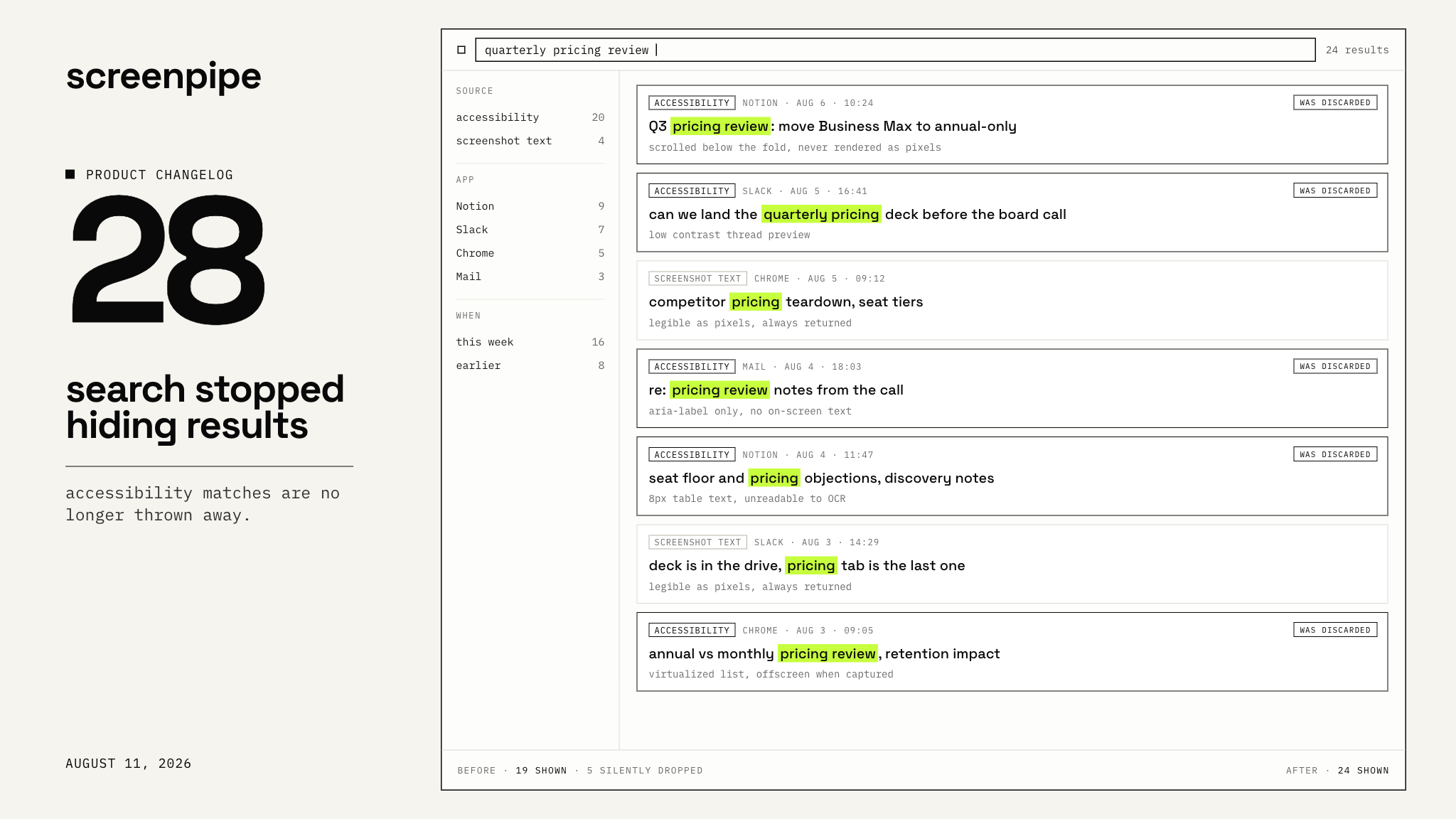
screenpipe reads your screen two ways: the text apps expose directly, and the pixels in screenshots. Most of what it knows comes from the first.
We fixed some bugs related to search.
Fixed since app v2.6.6.
live views keep themselves current
- Blocks connected to a scheduled task now refresh on that task's schedule, on their own.
- The AI editor can read what a Block currently renders, so "show more detail" changes something visible instead of nothing.
- Canvas edits are reversible, prompts stay inline, and trackpad pinch zoom works again.
- A failed AI plan no longer throws away your first dashboard.
meetings and audio
screenpipe now shares your microphone politely with Zoom and Meet during meetings, ending the tug-of-war that dragged Bluetooth headsets into that crunchy call-mode audio. And when it can't record a meeting, it lets go of the mic instead of holding it and recording nothing.
- Half-second sounds no longer create a brand new speaker every time.
- Long meetings get 600 seconds to summarize instead of 300, so a large transcript no longer silently produces nothing.
- An install fault that was failing every single transcription now repairs itself on launch.
- The live meeting overlay stops showing each sentence twice when you are not wearing headphones.
If a meeting still records silence, send logs and it goes to the top of the pile.
chat commands
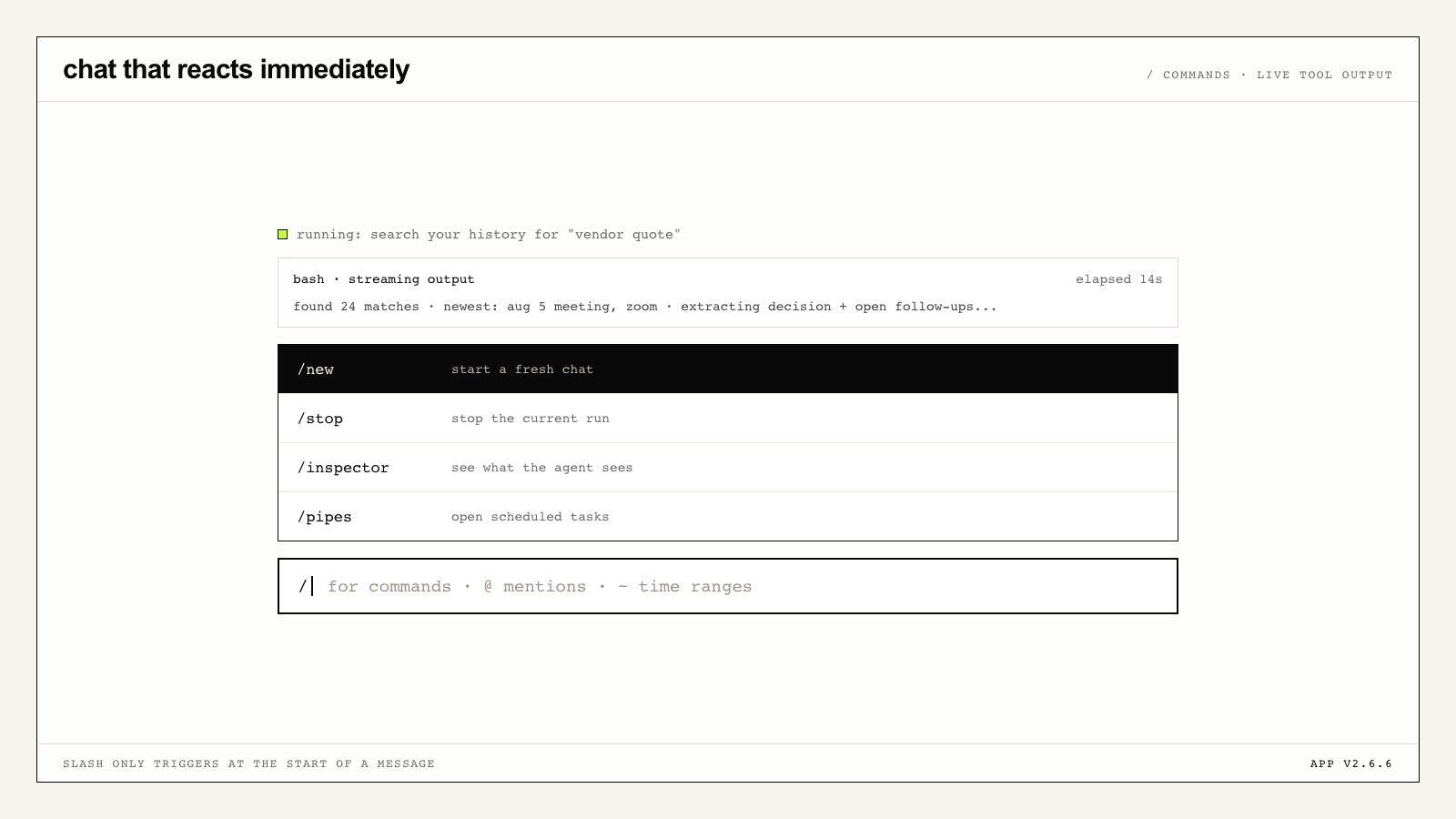
- Type
/at the start of a message for a command palette: new, stop, inspector, scheduled tasks. - Long-running tools stream their output and an elapsed timer instead of an anonymous spinner.
- Clicking a Home card acknowledges instantly. It used to sit there for 10 to 40 seconds.
@app,@audio,@speakerand#tagare now sent as real filters rather than raw characters for the model to guess at.
one ask (ok, two)
If you want one of the 20 Infinite Context spots, grab Ultra below before they're gone. Either way: search for something you are certain screenpipe saw last week and could not find before, then reply and tell me whether it came back.
Get Infinite Context - upgrade to Ultra
Sync live by Aug 22 or the month is refunded and you keep Ultra.
Update screenpipe to the latest version.
Want the engineering details? See the full technical changelog.
Questions? Reply to this email or join our Discord.
Louis
get updates on screenpipe news and releases