
screenpipe #33 | Ask about your week. Share how you work.
get updates on screenpipe news and releases
Newsletter #33, September 23, 2026. Workflows is in private beta.
Help us decide what to improve next. Take the short Screenpipe survey.
Hi all, Louis here.
This week, we improved Chat for longer questions and added a way to turn a workflow into instructions someone else can follow. Here is how to use both.
Ask Chat where your time went
Open Chat and try: “How did I spend my time this week? Break it down by app and activity.” Screenpipe uses the work history captured on your computer to help answer.
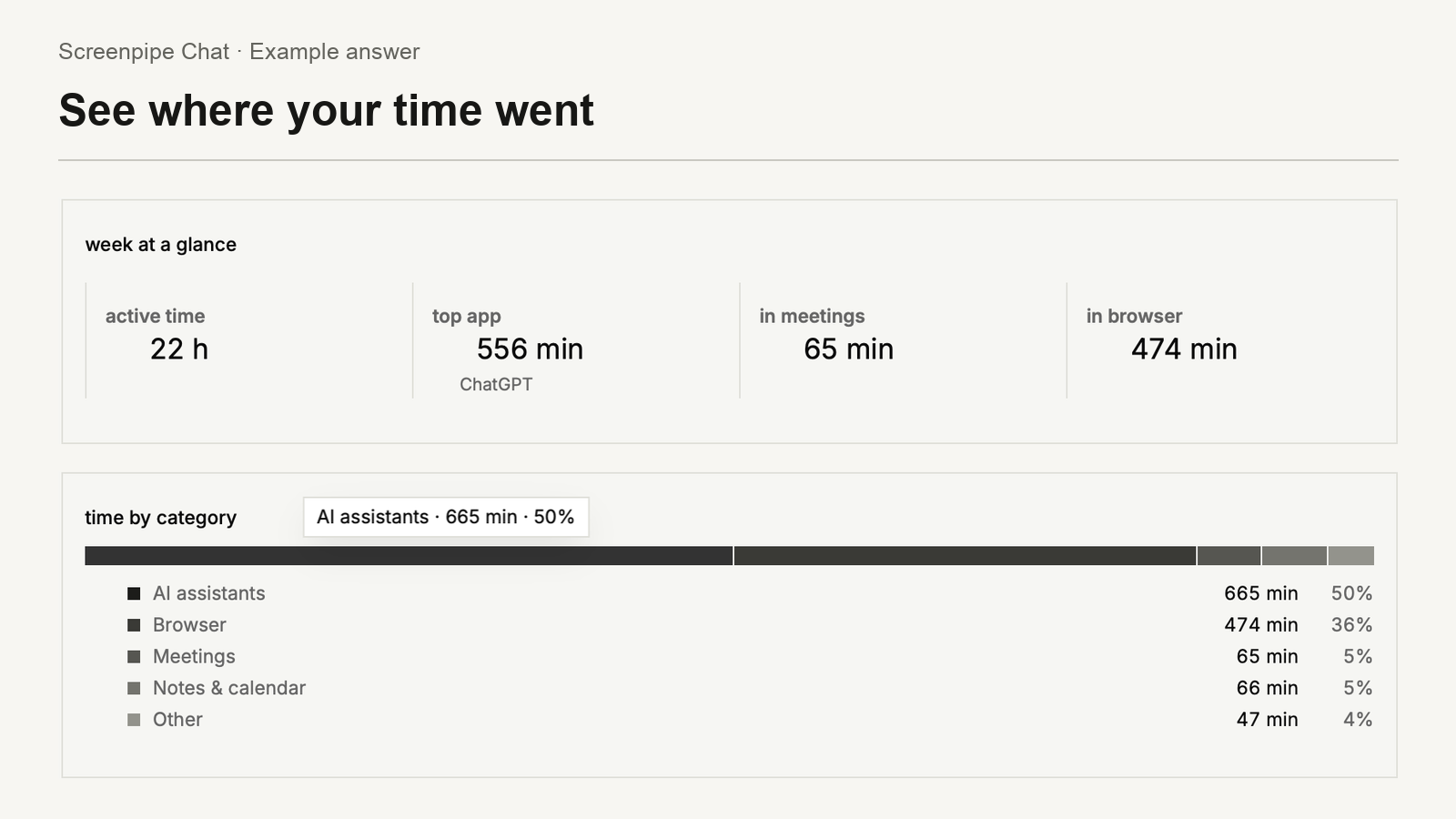
What changed: Chat now makes room to continue longer tasks by summarizing earlier context. The progress indicator also stays visible while it finishes an answer, so it no longer looks finished before the answer is ready.
Make a guide from work you repeat
In Workflows, open a process and choose Create SOP. An SOP is a step-by-step guide: what you need, what to do, and how to check the result. Review and edit the draft before handing it to someone.
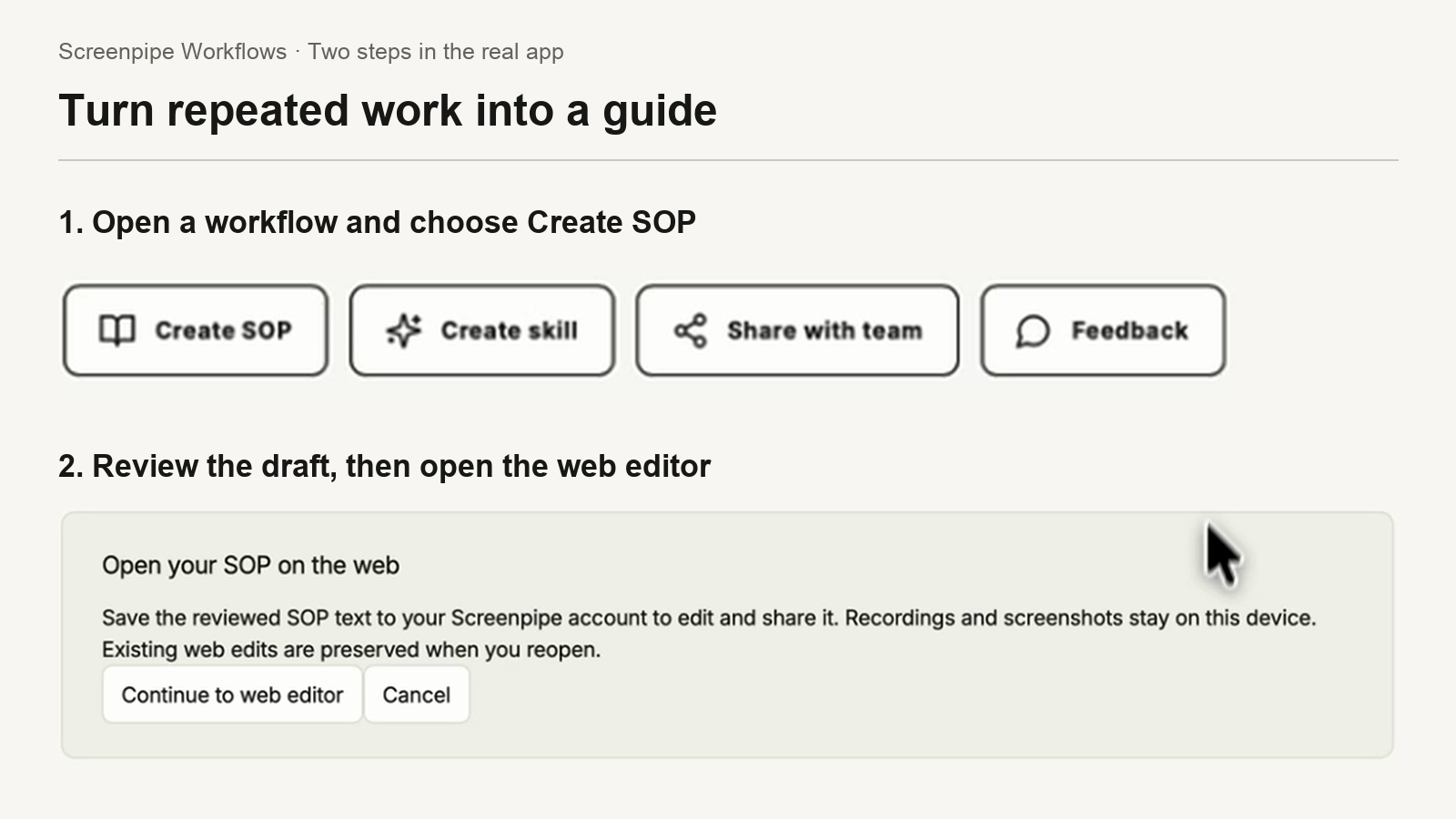
The web editor saves a private draft. When ready, publish a read-only link to share. Later edits stay private until you republish. The handoff uploads the guide text, without attaching recordings or screenshots. Creating guides requires Business access and available AI allowance.
Email Louis for private beta access to Workflows.
Also this week
- Loading the model list when you sign in with ChatGPT.
- Claude Code connections that failed during setup.
- Microphone recovery after reconnecting a device on macOS.
- Better parsing and context engineering for more apps
Get the latest Screenpipe · Read the changelog
What should we improve next?
Want Screenpipe for your company?
Louis
get updates on screenpipe news and releases