
screenpipe #19 | new open source license + changelog
5 min read
newsletterupdatesv2changeloglicensemeetingshdprivacyconnectionsscreenpipe
get updates on screenpipe news and releases
new open source license + changelog
What's new on screenpipe this week?
We're changing our open source license. screenpipe's source is moving to a source-available license: free for personal use, paid for commercial use. The full why and what it means for you: an update to screenpipe's license.
Please update the app, it might be outdated. Or download screenpipe.
New features
HD recording
- Decoupled high-fps HD recorder: real high-fps capture, fully indexed, so you can review meetings or sessions in HD.
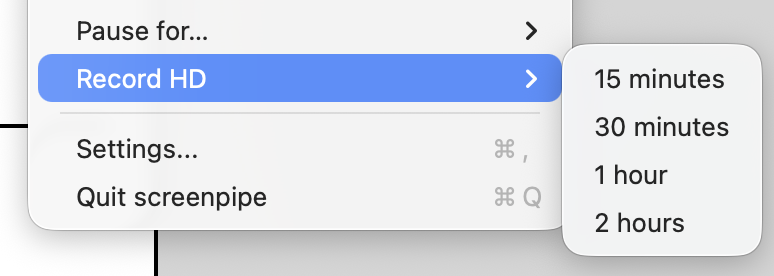
- HD chunks now play back at native framerate in the timeline.
- "+ HD" tray click confirms with an in-app notification.
Meetings
- Unified live speaker IDs with the global embedding pipeline, so "who said what" is consistent across live and recorded transcripts.
- Recorded transcripts keep every participant, not just you.
- Cross-device mic echo is dropped from the live transcript.
- Live transcripts on the timeline, plus screen-share and calendar meeting detection.
- Per-app ignore list for meeting detection.
- Cloud users default to live cloud transcription.
- Drag and drop images straight into meeting notes.
- Meeting and date-range MP4 export with synced audio, across CLI, app, and MCP.
- "Coming up" merges all your Google accounts.
Privacy and redaction
- Keyboard and clipboard capture are now off by default, with toggles.
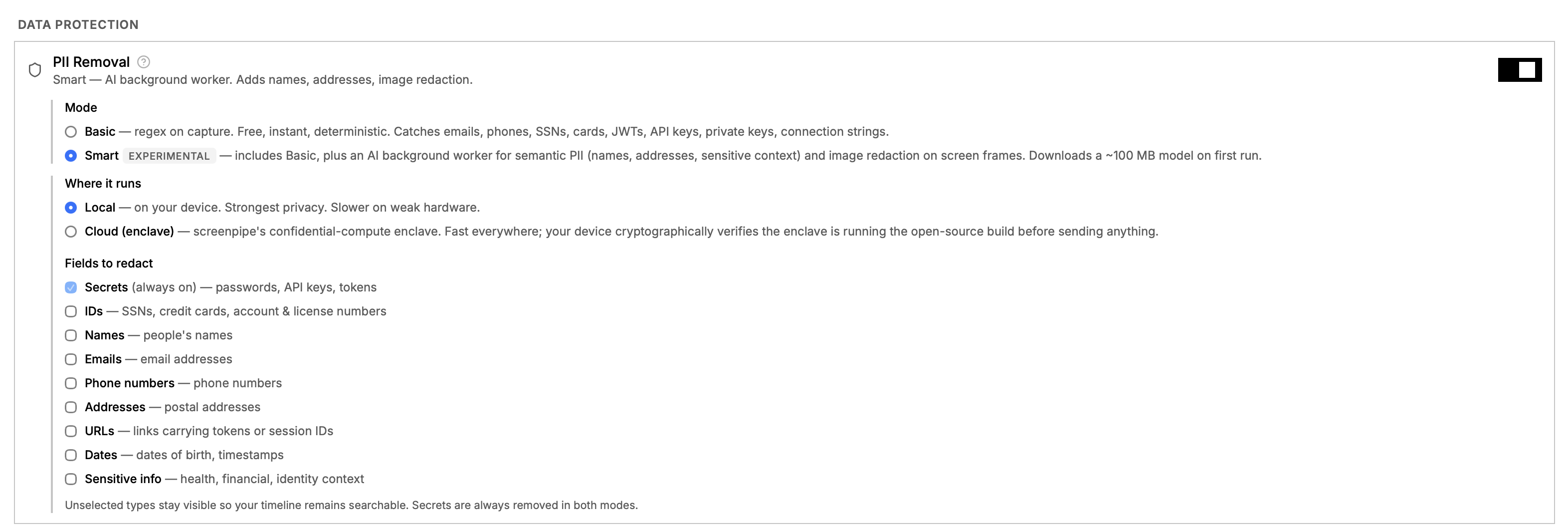
- Per-field PII redaction for text and image, including IDs, URLs, and dates.
- Redaction happens at rest now, not at query time.
- New text PII model: 266 MB down to 149 MB, faster and smaller.
- New image PII model: better detection on real screens.
- Text and image PII models now leverage ANE on macOS and NPU on Windows.
- Configurable structured-ID categories.
- LAN device discovery via mDNS is opt-in and off by default.
Chat
- Ask source citations open the exact capture in search or timeline.
- Per-conversation composer drafts, no more text leaking across chats.
- Paste documents with attachment bubbles and an extraction spinner.
- Connection chips with one-click "Try in Chat."
Connections
- Redesigned connections page with a categorized layout.
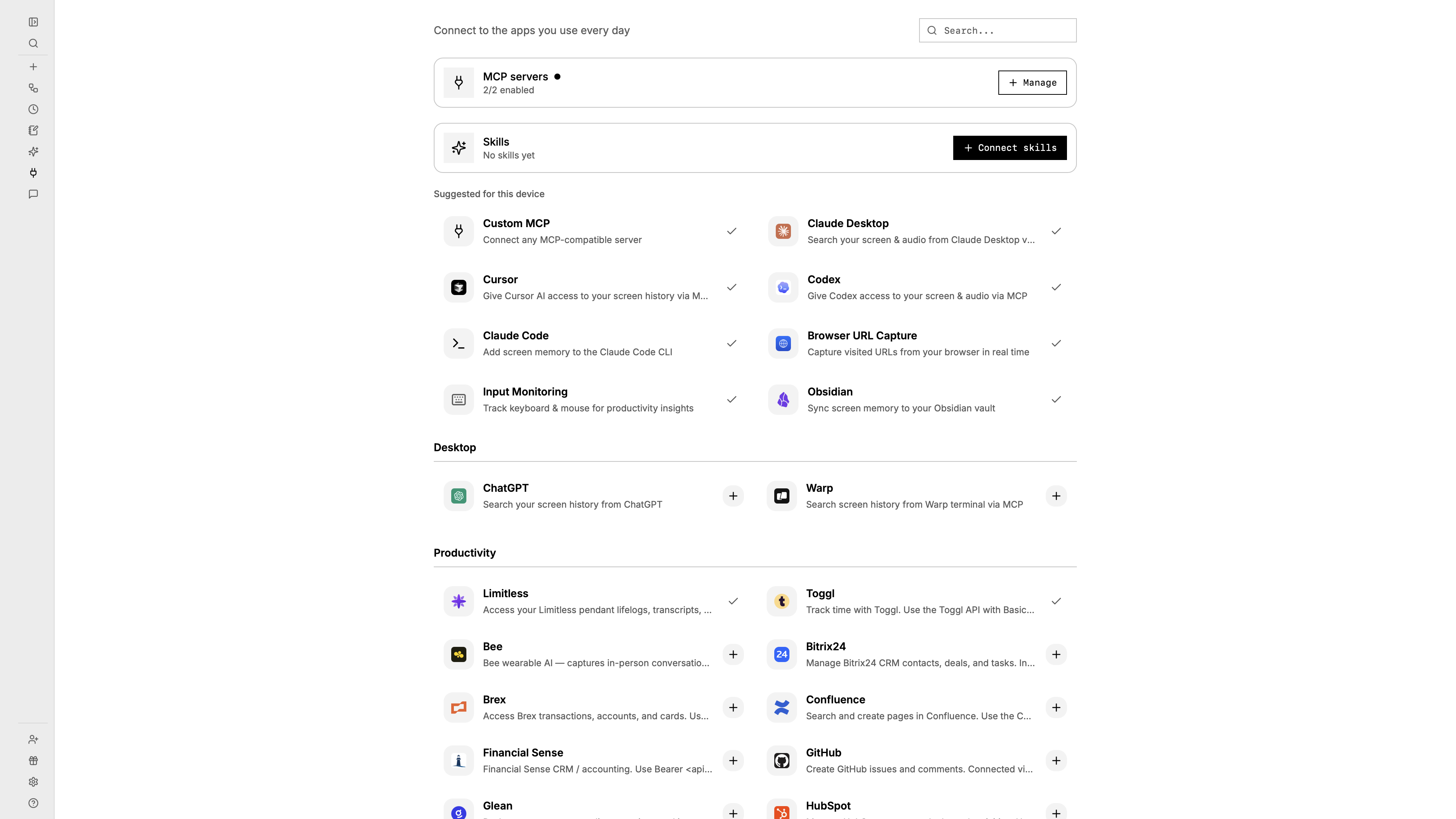
- New: Odoo, Krisp one-click OAuth MCP, Plaud OAuth MCP, Mochi, and OpenClaw.
- Connect multiple Obsidian vaults from the UI.
- Import your device skills into the agent; cards offer both API and CLI skills.
- Rotation-safe cross-device connection sync.
- Agent-facing ICS calendar connection API.
App and settings
- Searchable settings.
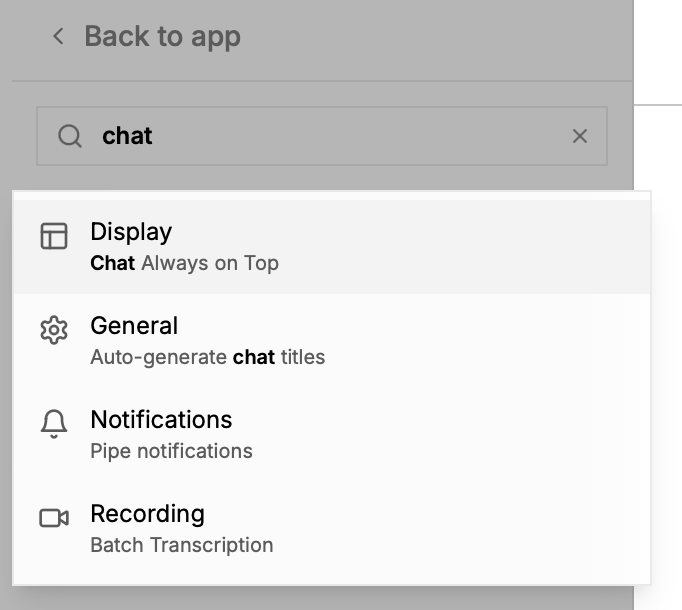
- App-wide font size setting for text scaling.
- Getting started tutorial card in the Help section.
- Privacy filters surface installed-but-uncaptured apps.
CLI and SDK
- CLI: work-hours schedule via
--schedule-enabledand--schedule-rule. - CLI:
--ignored-urlsis now actually applied to capture. - SDK: native Rust telemetry for the Tauri plugin, with no webview and no CSP.
Billing
- Lifetime is retired; screenpipe is now subscription-based. If you already have lifetime, nothing changes.
Performance
- Reduced timeline memory usage.
- HD encode decoupled from the writer, so chunks are true constant-framerate.
- Content dedup bypassed during HD sessions.
- SQLite corruption guard: mmap disabled, redact worker backs off.
- 3x lower CPU usage when using more than two monitors.
- Reduced CPU usage caused by meeting detector.
- Reduced overall CPU usage on Windows.
Bug fixes
Capture and a11y
- Eliminated ghost keystrokes on macOS by removing the probe tap and shutting down gracefully.
- Enhanced accessibility mode is set once per app, not every 60s.
- Fixed Apple OCR missing bounding boxes.
- Honor the Windows OCR language selection.
- Recover vision capture after a locked-screen startup, and resume capture after login.
Audio and meetings
- Never drop live transcript segments on a coverage-window miss.
- Fixed a CoreAudio process-tap crash.
- Fixed Windows mics going silent with echo cancellation on USB mics, including Logitech C922.
- Keep live transcripts on the matching audio device.
- Restored browser meeting detection on Windows.
- No more duplicate ongoing meetings.
UI and chat
- Fixed cursor placement and text selection breaking mid-sentence.
- Fixed queued chat messages disappearing when switching chats.
- Fixed the timeline Live Text overlay leaking over chat and blocking input.
- Arrow-right timeline navigation keeps working while recording.
- Chat context is now bounded in the compaction layer.
Stability
- Fixed a macOS tray use-after-free crash on menu click.
- Retired the top crashes: DB
CANTOPENand null model.
OAuth and connections
- Fixed the GitHub connection.
Platform
- Restored the Apple Calendar permission flow.
- Logout no longer needs two clicks.
- Windows: signed CLI binary, no more auto-destruct false-kills, hard-fail on missing VC++ DLLs.
Pipes
- Scheduled pipes honor your local timezone.
- Missed cron slots run when the app restarts late.
Please update the app, it might be outdated. Or download screenpipe.
Questions? Reply to the email or join our Discord.
Using screenpipe in a team? Let's talk
Report a bug on GitHub.
Louis
get updates on screenpipe news and releases